
RSI divergence is widely known as one of the most trusted indicators in technical analysis. DivAlarm catches it flawlessly before anyone else.
The key divergence signal alerts always fire right after breaking support or resistance. Simply watching the chart only when the alert triggers can significantly increase your win rate.
Behind every price reversal, there is an RSI divergence.
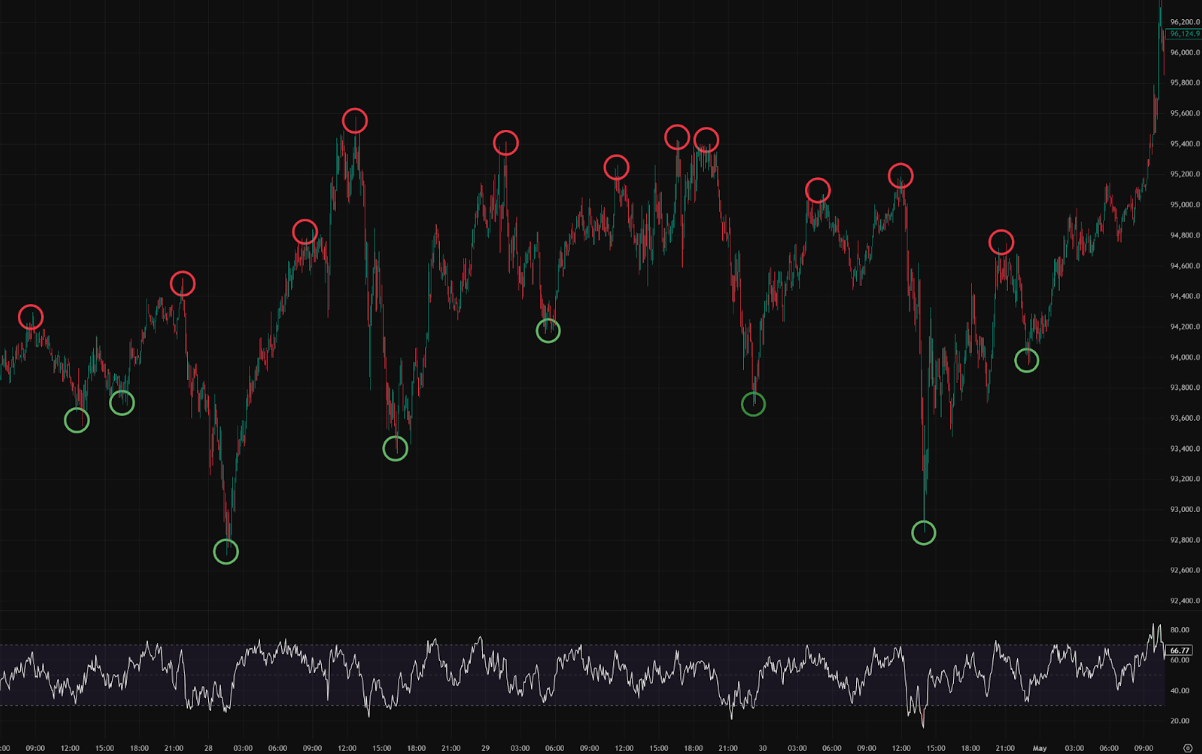
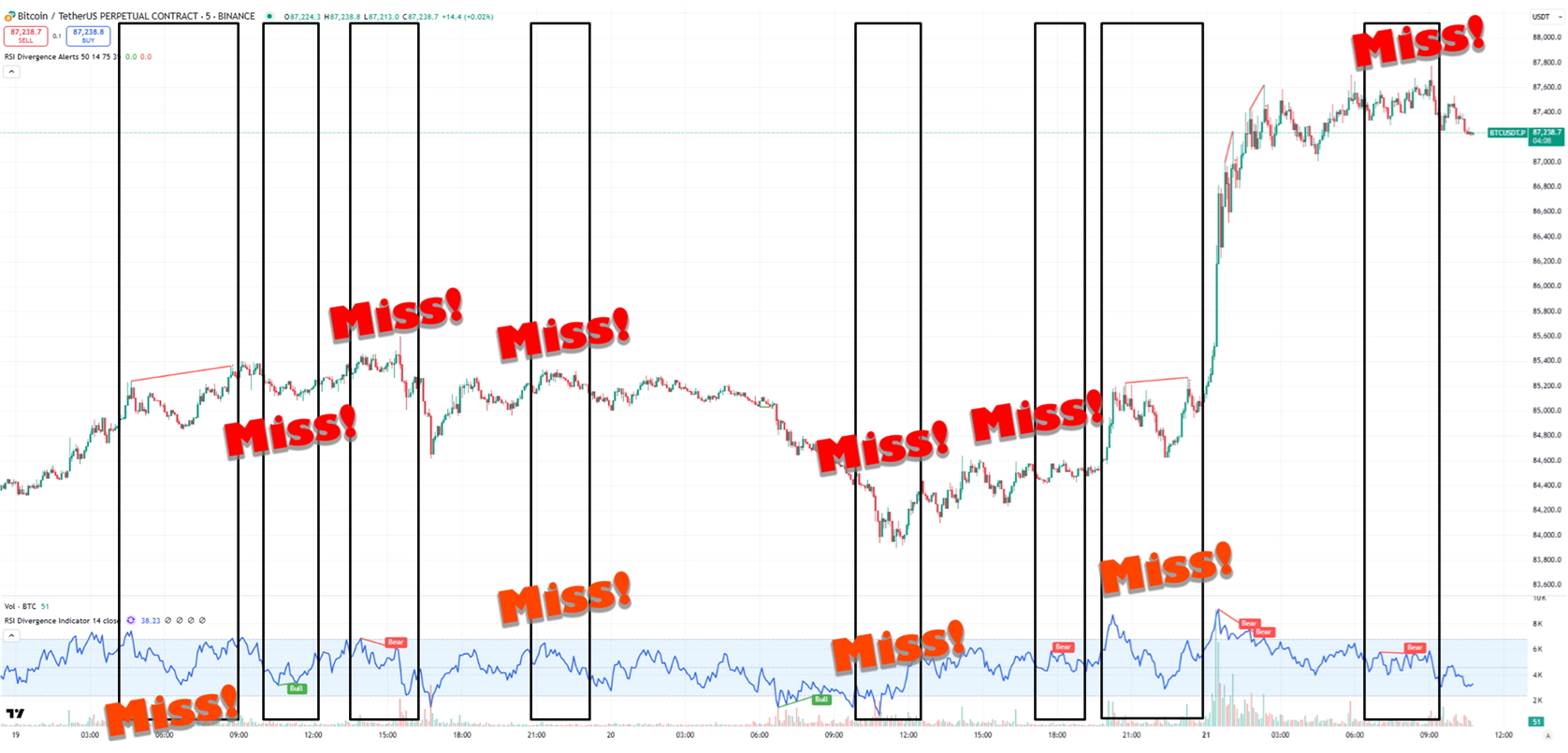
※ Signals actually missed by TradingView
Did you know? Most popular indicators on platforms like TradingView frequently miss crucial RSI divergences. DivAlarm is engineered to catch these hidden signals perfectly, giving you a critical edge.
Watch how a TradingView signal connects with DivAlarm and leads into an automated order workflow.
Catch RSI divergences with high probability even before they are fully formed. Monitor multiple timeframes simultaneously.
Adjust RSI thresholds, price levels, Bollinger Band breakouts, or ongoing divergences across timeframes to filter only the best signals.
Break through silent mode with force loop alarms, one-time force alarms, pure vibration, or custom sounds. Never miss a trade while sleeping.
Receive powerful phone alarms and execute automated trades directly from TradingView signals. Connect your strategy seamlessly.

Build a passive income stream seamlessly. Earn a recurring 1.50–2.50 USDT per referral per month. Imagine referring 300 active traders and collecting 750 USDT every single month.
Invite people and earn rewards — every time someone you invited renews their monthly subscription, you’ll receive 1.50–2.50 USDT per person, paid directly to your wallet.
When you sign up, you’ll get your own unique referral code and subscription link.
If someone subscribes to Basic using your code or your link, their first month is only $5.40 and the referral price is $6.50 per month after that.
Meanwhile, you will receive 1.50–2.50 USDT for each renewal payment they make:
1-10 subscribers: 1.50 USDT per subscriber per month
11-50 subscribers: 2.00 USDT per subscriber per month
51+ subscribers: 2.50 USDT per subscriber per month
Invite 300 people and you can earn up to 750 USDT every month!
It’s a new stream of income that keeps coming in — even when you’re not working. As your number of referrals grows, you’ll also gain the ability to send exclusive announcements with any content you choose, only to your invited users.
Annual subscription referral: 25 USDT per successful referral.